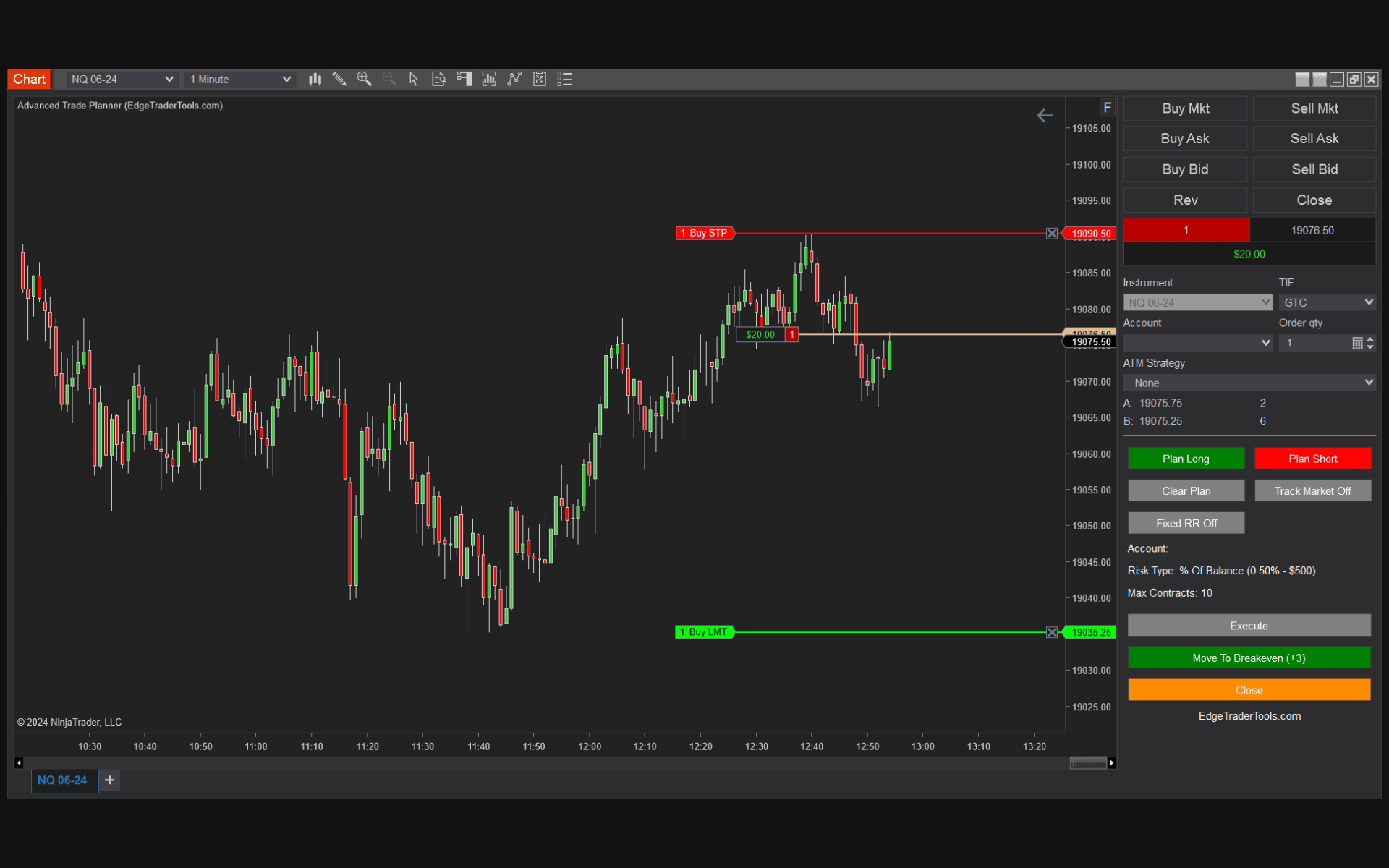
A NinjaTrader auto bracket order ties your stop loss and take profit to your entry as a single OCO (one-cancels-other) submission, so the instant your entry fills your protection is already live. The alternative — entering, then manually placing a stop — leaves a window where a fast move can leave you naked. In a thin futures market that window is enough to turn a planned -1R into a -3R. This guide explains how auto bracketing works and how Edge Trader Tools handles it for you in NinjaTrader 8.
What a bracket order actually does
A bracket order is three orders managed as one: the entry, a protective stop loss below (for a long), and a take profit above. The stop and target are linked OCO — when one fills, the other cancels automatically, so you are never left with a dangling order after the trade closes. Bracketing is the backbone of disciplined futures execution because it forces you to define your exit before you are emotionally attached to the position.
The execution gap that costs traders money
The dangerous moment is the gap between your entry filling and your stop being live. Place the entry, then reach for the stop, and in those few seconds price can run against you — especially around news, the cash open, or in a fast tape. Manual stop placement also invites two expensive mistakes: forgetting the stop entirely in the rush, or fat-fingering the price or quantity. Auto bracketing closes that gap by submitting the stop and target as part of the same action as the entry.
How Edge Trader Tools auto-brackets every trade
With Edge Trader Tools, you plan the trade by dropping entry, stop, and target lines on the chart. When you click execute, the entry goes to market and the stop loss and take profit attach automatically the moment the entry fills — as a linked bracket, no manual entry, no gap. Because the position is already sized from your stop distance, the whole setup is risk-correct before a single order leaves your screen.
Once the trade is in profit, a one-click move-to-breakeven slides your stop to entry so the position becomes risk-free. It is order management and risk management in the same tool — see how it compares to other NinjaTrader order-management add-ons.
Bottom Line
The difference between a planned -1R loss and a panic -3R loss is usually the few seconds between your entry filling and your stop going live. A NinjaTrader auto bracket order tool eliminates that gap entirely. Edge Trader Tools attaches your stop and target automatically and sizes the position before you ever click execute — so every trade is protected from the first tick.
Frequently Asked Questions
Can NinjaTrader place bracket orders automatically?
NinjaTrader supports ATM strategies for bracketing, but they are not tied to risk-based position sizing. Edge Trader Tools attaches the stop loss and take profit as an OCO bracket the moment your entry fills, and sizes the position from your stop distance first.
What is an OCO order?
OCO stands for one-cancels-other. Your stop loss and take profit are linked so that when one fills, the other is automatically cancelled — you never end up holding a stray order after the trade closes.
Does the bracket attach before or after the entry fills?
The stop and target attach the instant the entry fills, as part of the same execution. There is no window where your position sits unprotected.
Can I move my stop to breakeven automatically?
Once the trade is in profit you can move the stop to breakeven in one click, locking in a risk-free position without re-typing any prices.
Trade With Automated Risk Management
Edge Trader Tools plugs directly into NinjaTrader 8 to size every position, enforce your stops, and keep you honest to your plan. Lifetime license, one payment.
See Pricing